ATS RESUME TEMPLATE
Free Clean ATS Resume Template
Google DocsMicrosoft WordOne Column
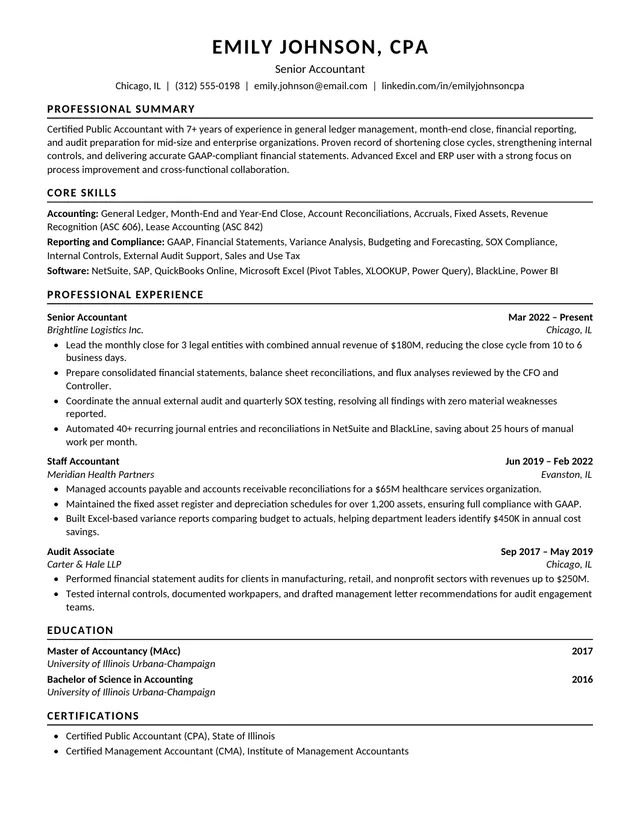
A straightforward single-column ATS resume
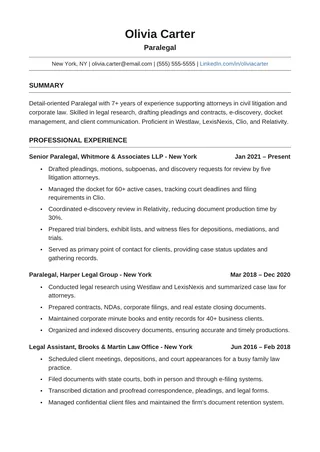
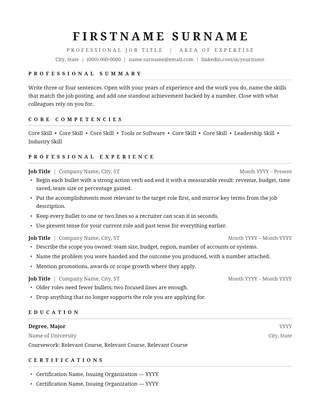
Clean ATS Resume is a simple US Letter layout with conventional sections and one vertical reading path. It uses Calibri and leaves decoration out of the way. The uncluttered design is particularly useful when you want the application to be judged on dates, responsibilities, skills, and results rather than graphic styling.
No payment or registration is required to browse the templates. Google Docs may ask you to sign in to create an editable copy.
Template details
- Best for
- Any role; the safest all-round starting point
- Length
- One page
- Design
- Clean, single-column foundation
- Category
- Minimalist ATS Resume Templates
- Layout
- Single column
- Formats
- Google Docs and Microsoft Word (.docx)
- Price
- Free, no sign-up
USING THIS TEMPLATE
How to customize the Clean ATS Resume template
Keep the one-column format intact and let specific achievements create the visual weight of the page.
Start with information that is easy to parse
Place your name, phone number, email, and a relevant professional profile link in normal text near the top. Use clearly named sections: Summary, Work Experience, Education, and Skills. Standard headings make the document easier to skim and less ambiguous for software that extracts resume fields. Do not turn the contact block into a logo or image, and avoid putting crucial details only in the header or footer of a Word document.
Make each experience entry informative
For every significant role, provide a job title, employer, dates, and a few bullets describing outcomes. The plain layout gives you little decoration to hide behind, which is a benefit: readers can compare your qualifications quickly. Write “Reduced support response time by 18% after reorganizing ticket routing” instead of a general statement about being efficient, provided the result is accurate. Use present tense for current responsibilities and past tense for previous positions if that matches your style.
Avoid unnecessary formatting tricks
A single column works best when you leave it as one continuous flow of editable text. Do not add a table to align every date or float a text box to the right to save a line. Keep ordinary bullet characters and consistent indentation. If the resume becomes too long, cut repetition in older jobs before reducing font size. A clean document can use bold for role names and section titles, but paragraphs should remain normal text.
Check both content and file quality
After editing, save the format requested by the employer. If exporting PDF, verify that you can select words and that copy-paste reproduces the sections in order. Check for spelling mistakes in company names and technologies. Then compare the job posting with your document: relevant qualifications should appear naturally in your experience and skills, not as a hidden or repeated keyword block. The goal is accurate information presented without barriers.
Similar ATS resume templates to compare
If this layout doesn’t quite fit your experience, these are close alternatives:
- Minimal Black ATS Resume: pure typography with no color or rules (one page).
- Minimalist Basic ATS Resume: concise histories with a compact skills list (one page).
- Clean One-Column ATS Resume: a classic serif look with lots of room for experience (one page).
Or see the full list of minimalist ATS resume templates.
Final check for this layout
Check that all contact information is real text rather than an image, and export a selectable-text PDF or DOCX. Before submitting, check the final file's selectable text and follow the employer's upload instructions. For practical help, use the ATS resume format guide and our ATS resume guide.