ATS RESUME TEMPLATE
Free Professional ATS Resume Template
Google DocsMicrosoft WordOne Column
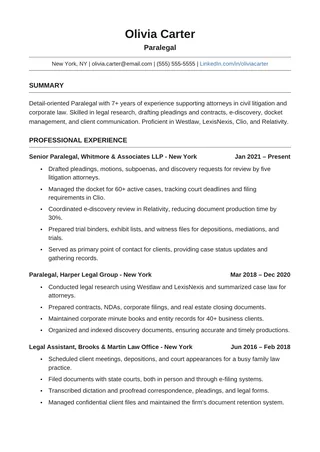
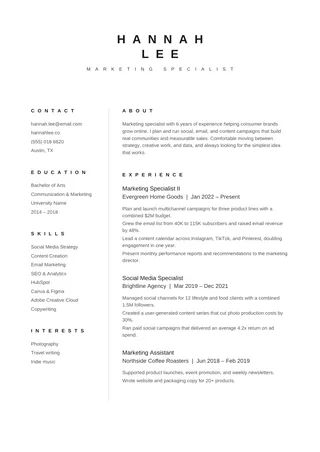
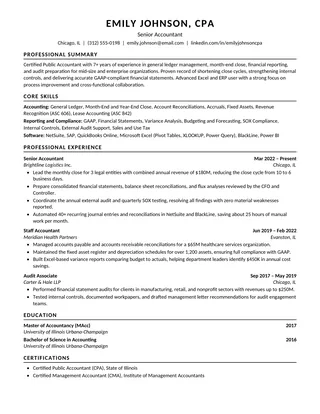
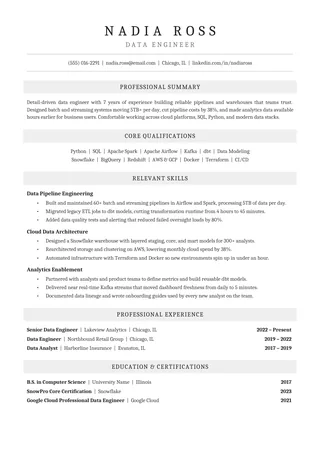
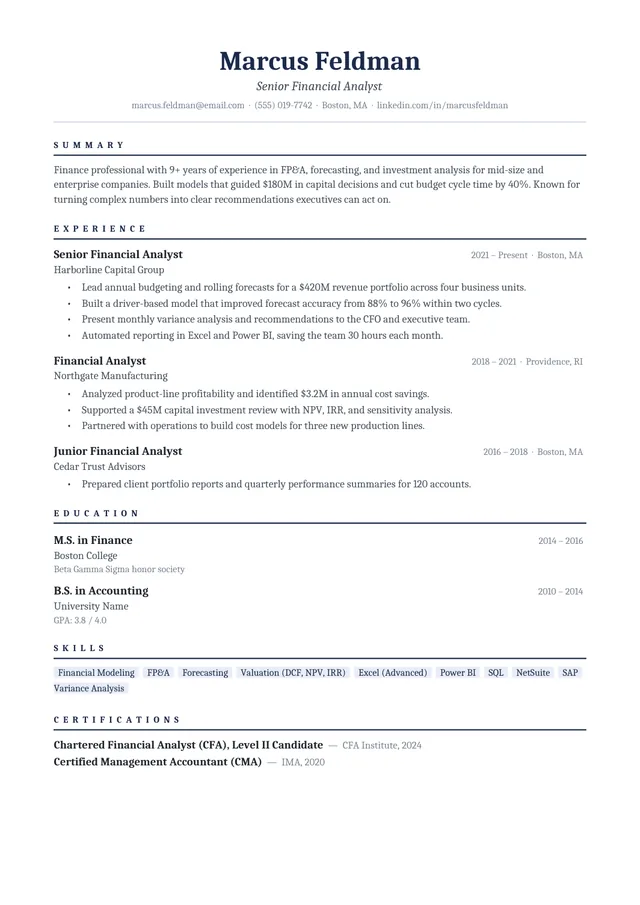
A professional, understated resume with navy accents
This Professional ATS Resume pairs Cambria typography with narrow navy dividers and a one-column employment record. The styling signals a formal tone without pushing your achievements into graphic elements. It is a useful middle ground between a plain black-and-white file and a highly designed resume.
No payment or registration is required to browse the templates. Google Docs may ask you to sign in to create an editable copy.
Template details
- Best for
- Finance, legal and other formal industries
- Length
- One page
- Design
- Navy-accented Cambria layout
- Layout
- Single column
- Formats
- Google Docs and Microsoft Word (.docx)
- Price
- Free, no sign-up
USING THIS TEMPLATE
How to customize the Professional ATS Resume template
Use the navy headings for visual organization, not as a substitute for conventional section labels or clear achievements.
Let the typography support your credibility
The serif type and navy accents make a strong impression in finance, operations, administration, and other traditional settings. Keep those accents restrained when you edit. Use ordinary paragraph text for responsibilities and achievements, not images of text. A darker heading line can help a human reader scan the page, but the words in the heading should still be explicit: Work Experience, Education, and Skills are easier to recognize than creative labels.
Write evidence-based experience bullets
This layout works best when each role has a clear title, employer, date range, and two or three outcomes. Start with what you did, add scope when possible, and end with a result a reader can evaluate. Rather than saying you “supported budgeting,” explain the budget size, frequency, or improvement you influenced. Remove filler such as “hardworking professional” if it crowds out a measurable accomplishment. Formal appearance is only useful when the content proves your qualifications.
Preserve the single-column reading path
Keep experience and education running vertically rather than inserting a right-hand skills sidebar. A single column usually gives fewer opportunities for extraction order to become confusing. When editing in Word, avoid moving important labels into floating text boxes just to align them. Use paragraph tabs or styles only when they remain readable in the finished export. Where a heading has a rule underneath it, make sure that rule does not become a separate selectable artifact.
Before sending the file
Open the final version at normal zoom. Check that thin blue lines remain subtle, body text has enough contrast, and dates have not drifted from their roles. Then copy the text into a plain-text editor to confirm the intended sequence. If a particular employer asks for DOCX, send that version; otherwise a text-based PDF may be appropriate. Neither the color nor the typeface guarantees how an individual tracking system will parse the file.
Similar ATS resume templates to compare
If this layout doesn’t quite fit your experience, these are close alternatives:
- Executive ATS Resume: managers, directors and senior leaders (one page).
- Classic Professional ATS Resume: traditional employers and conservative fields (one page).
- One-Page ATS Resume: mid-career applicants fitting a full history on one page (one page).
Or see the full list of professional ATS resume templates.
Final check for this layout
Retain the standard contact, experience, education, and skills sections when adapting the layout. Before submitting, check the final file's selectable text and follow the employer's upload instructions. For practical help, use the ATS resume format guide and our ATS resume guide.