First, understand what an ATS does
An ATS helps employers collect applications and move candidates through a hiring process. Depending on the product and employer configuration, it may extract information from documents, offer search or filtering, organize applicant stages, or support screening. There is no universal “ATS score” that every platform calculates, and no resume template can promise an interview or automatic acceptance.
Your goal is not to beat a hidden algorithm. Your goal is to submit a file that communicates relevant qualifications correctly when its contents are viewed by both software and people. The most effective improvements often have nothing to do with tricks: accurate dates, clear section labels, relevant evidence, and a document that exports cleanly.
Step 1: Build a master resume before tailoring
Keep a longer working document with your complete job history, projects, measurable outcomes, qualifications, and skills. This is where you store facts you might need for different applications. When preparing an application, select the information that best matches the opportunity rather than trying to make one crowded resume fit every role.
For each position, record the role, employer, dates, key responsibilities, and results. Numbers can be persuasive when truthful: time saved, users supported, budgets managed, defects prevented, or processes improved. Do not invent statistics. If you do not have exact figures, explain scope and impact in plain language.
Step 2: Read the job description with a purpose
Separate required qualifications from preferred experience. Look for the capabilities that appear central to the position, not just every word in the advertisement. For each genuine match, identify where your experience proves it. If the role needs stakeholder management, show a relevant project or responsibility; if it needs a particular tool, describe how you used that tool. This evidence matters more than adding the phrase to an isolated keyword list.
Use familiar terminology rather than obscure internal abbreviations when both mean the same thing. You may include an acronym together with its full form on first use if that improves clarity. Never claim proficiency you lack or change a past title to one you did not hold.
Step 3: Choose an appropriate ATS resume template
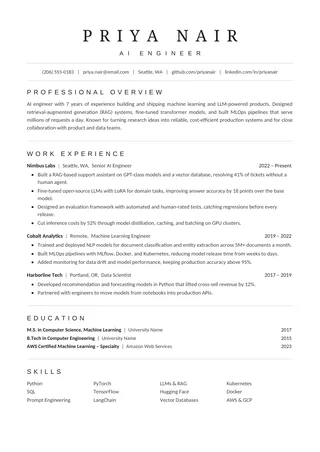
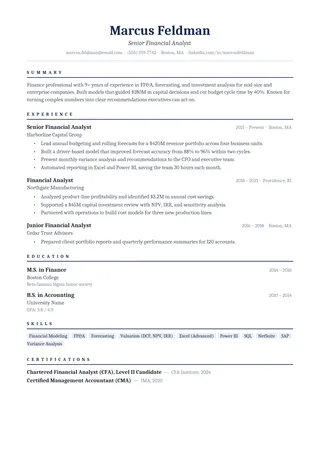
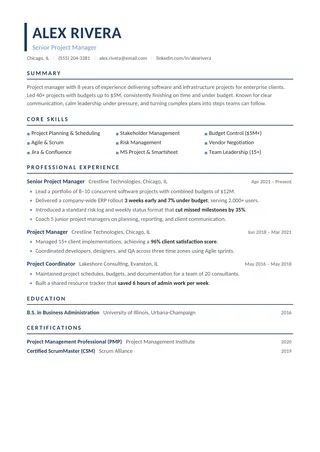
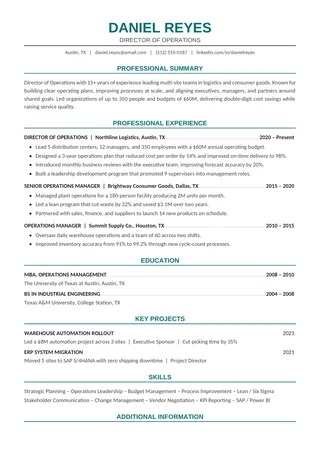
Select a design based on the density of your information. Clean ATS Resume is a straightforward single-column option. One-Page ATS Resume encourages concise writing. Minimalist ATS Resume has two pages for longer histories. For a formal appearance with restrained color, consider the Professional ATS Resume.
If you choose a layout with a sidebar or narrow skills region, check its exported text more carefully. Visual simplicity is useful, but it is not the only factor in compatibility. Different editors and PDF conversion methods can change the underlying reading order.
Step 4: Replace sample content carefully
Edit the name, contact information, headings, positions, dates, and every sample bullet. Look for details that are easy to overlook such as old links, certification dates, placeholder locations, or sample projects. Avoid mixing three font families or varying the heading style between sections. The completed resume should read as one coherent document even when you remove all formatting.
If you have little work experience, use relevant projects or education evidence rather than filling the page with unsupported personality traits. If you have many years of experience, choose your most recent and relevant achievements and summarize older work. Aim for a density that stays comfortable to read.
Step 5: Turn responsibilities into useful evidence
A responsibility says what a role involved; an achievement shows your contribution. Good bullets typically combine an action, context, and effect. You do not need numbers in every line, and you should never create numbers simply to make a bullet look stronger. Where possible, describe what improved, what you built, whom you supported, or what challenge you solved.
Remove boilerplate such as “excellent team player” when the same space could contain a concrete example of collaboration. Tailoring means selecting relevant evidence, not hiding unrelated jobs or inventing new ones. A concise, believable set of bullets is more persuasive than an exaggerated collection of keywords.
Step 6: Export the right way
Follow the file upload instructions on the employer's application page. If a DOCX is requested, send DOCX. If PDF is accepted, export a document containing actual text rather than an image. After exporting, open the file outside your editor and check that all pages, headings, bullet characters, and links render properly.
Be careful with columns, manual line breaks, copied tables, header/footer fields, and decorative shapes. They may look fine in the editor but behave differently in extracted text. More about choosing between formats is in the ATS resume format guide.
Step 7: Run a five-minute ATS readability check
- Open your final PDF or DOCX, select all, and copy.
- Paste into a basic plain-text editor.
- Verify that your name and contact information are visible in the expected order.
- Check each position's title, employer, and date range.
- Look for scrambled sidebars, duplicated lines, or missing section headings.
- Correct the source document, export again, and repeat if necessary.
- When available, inspect the employer portal's parsed preview before submitting.
This process does not emulate every hiring platform, but it can reveal obvious formatting problems before they become part of an application. Remember to proofread the visual file too: text extraction cannot catch every typo, awkward line break, or misleading claim.
Step 8: Keep versions organized
Name your files so you can find the correct copy later, using a simple convention such as First-Last-Resume-Role.pdf. Keep a master document separate from versions tailored to individual roles. If an employer asks for an update, you will be able to change the right file without overwriting other applications. Store job descriptions alongside the version you sent when it helps you prepare for interviews.
Where to put keywords on an ATS resume
Recruiters often search an applicant tracking system for job titles, skills, tools and certifications. Placing the right terms in the right sections makes your resume easier to find without resorting to keyword stuffing.
- Job titles: use your real title, and if it is unusual add the common equivalent, for example “Customer Success Lead (Account Manager)”.
- Professional summary: name the role you are targeting and two or three core skills that appear in the posting.
- Skills section: list specific tools, methods and certifications exactly as employers write them, including both the acronym and the full name once, such as “Search Engine Optimization (SEO)”.
- Experience bullets: show the same skills in context with a result, which is more convincing to a recruiter than a list.
Use each keyword where it is true and relevant. Repeating terms you cannot support may get past a filter but tends to fail at the interview stage.
Common ATS resume mistakes to avoid
- Submitting an image-only PDF with no selectable text
- Placing important contact information only inside graphics
- Using vague or unusual headings for major sections
- Copying keywords that do not describe your experience
- Applying with a generic resume that ignores the posting
- Compressing a long career history into unreadably small text
- Assuming an online ATS score is a universal hiring standard
- Forgetting to review the employer portal's parsed information
Browse the ATS resume template collection, choose Google Docs for browser editing or Microsoft Word for desktop work, and verify your finished file before you apply. Prefer a specific style? See the professional ATS resume templates or the one-page ATS resume templates.