ATS RESUME TEMPLATE
Free Minimalist Basic ATS Resume Template
Google DocsMicrosoft WordOne Page
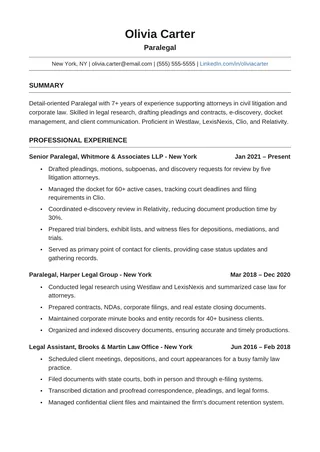
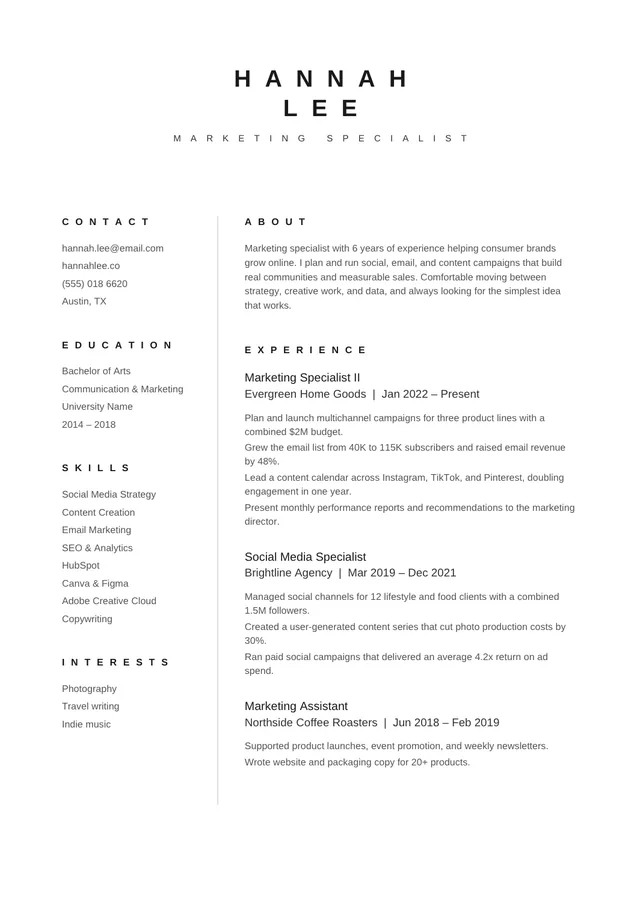
A compact one-page resume with a narrow skills area
Minimalist Basic ATS is a compact A4 design in Arial with a wider experience section and a narrower skills area. It can show skills quickly without devoting an entire page to them. Because the layout splits some content across the page, it deserves extra text-extraction testing before you rely on it for applications.
No payment or registration is required to browse the templates. Google Docs may ask you to sign in to create an editable copy.
Template details
- Best for
- Concise histories with a compact skills list
- Length
- One page
- Design
- Compact A4 design with a narrow skills area
- Category
- Minimalist ATS Resume Templates
- Layout
- Column + skills sidebar
- Formats
- Google Docs and Microsoft Word (.docx)
- Price
- Free, no sign-up
USING THIS TEMPLATE
How to customize the Minimalist Basic ATS Resume template
The narrow skills section is the feature to test: paste the exported resume into plain text and check for interleaved columns.
Use the skills area selectively
Treat the narrow skills area as a quick index of qualifications, not a place to copy every keyword in a job advertisement. Group a small set of tools or strengths that you genuinely use. Long phrases can wrap unpredictably in the narrow space and compete with the employment history. Keep the job evidence in the main column, where a recruiter can understand when and how you applied those skills. Resist adding icons or rating bars to make the skills list seem more visual.
Plan for a one-page document
The page is intentionally compact, so prioritize roles rather than forcing the full chronology into tiny print. If you have a long career, lead with relevant positions and shorten older entries to one or two bullets. Use clear month-year dates and consistent company names. Remove empty headings, unnecessary objective statements, and references available on request. A one-page resume should feel edited, not compressed. Read it at actual size before deciding that the text is still comfortable.
Pay attention to column extraction
The principal risk here is not the font but the split reading path. Some software may read all skills before the adjacent work history; other parsers may interleave lines from both sections. Export a PDF, copy all text, and check whether the order still makes sense. If the employer provides a resume preview after upload, compare its fields with your document. If an essential qualification is scrambled, move it into the main body or switch to a strictly single-column template.
Keep an editable backup
Make changes in the source document and keep a clean copy before experimenting with spacing. Small edits in the side area may shift line heights and force a section into the next page. Confirm that the contact details, especially email and phone, remain selectable after any adjustment. This is a reasonable choice for a concise history when you are willing to test the exported file carefully, not a guarantee that every ATS will interpret the two zones identically.
Similar ATS resume templates to compare
If this layout doesn’t quite fit your experience, these are close alternatives:
- Clean ATS Resume: any role; the safest all-round starting point (one page).
- Minimal Black ATS Resume: pure typography with no color or rules (one page).
- Clean One-Column ATS Resume: a classic serif look with lots of room for experience (one page).
Or see the full list of minimalist ATS resume templates.
Final check for this layout
Because split layouts can be read differently by different ATS platforms, copy text from your export to check its order before you apply. Before submitting, check the final file's selectable text and follow the employer's upload instructions. For practical help, use the ATS resume format guide and our ATS resume guide.